
Chat Everywhere
Tamkang University’s TKU Tiger 3.0 is live

CHAT EVERYWHERE CAMPUS EDITION · WHITE-LABEL AI

Build your school’s AI serviceon the accounts and cloudyou already use

No need to build a model or a product from scratch. Chat Everywhere adapts to your school’s identity and technology environment, connects existing campus accounts and selected Azure OpenAI resources, and brings teaching, learning, and administrative workflows into one school-branded entry point.

Your school’s brand and domainYour existing campus accountsAI resources and usage controls
Campus AI service architectureAdapted to your environment
TeachersStudentsAdministrationResearch
YOUR UNIVERSITY AIChat Everywhere campus portalSchool brand
SSO and accountsOrganizations and rolesUsage and quotasEducation workflows
AI RESOURCEAzure OpenAI resources selected by the school

Models, deployment region, usage, and budget are configured around the school’s requirements.

Tamkang University · TKU Tiger 3.0

Tamkang University turned AI from an individual tool into a campus service

TKU Tiger 3.0 was custom-built by Chat Everywhere for university-wide use by students, faculty, and staff. It supports sign-in with O365 accounts, distinguishes teacher and student roles using university rules, and connects to Tamkang University’s Azure OpenAI resources.

The rollout also included on-campus training to help faculty and staff apply AI to course design and administrative work.

University-wide accessO365 campus sign-inTeacher and student rolesUniversity-owned Azure OpenAI resources
Read the Tamkang University case study
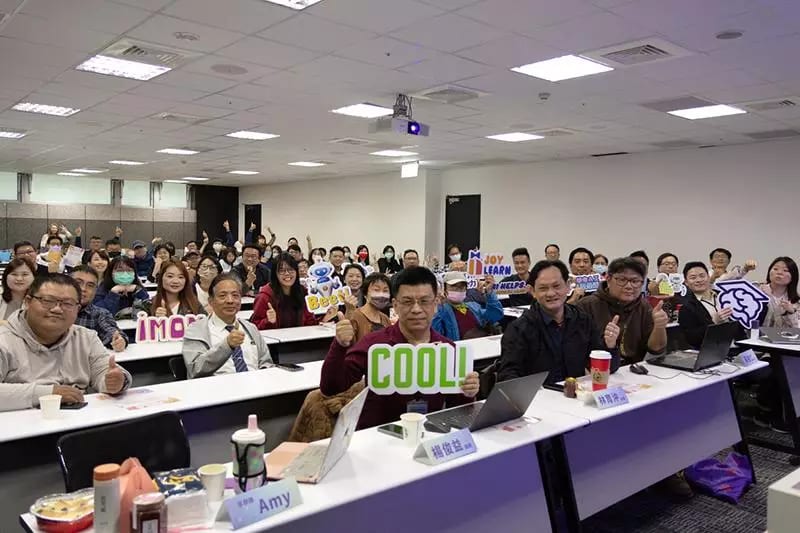
Tamkang University faculty and staff attending an AI workshop
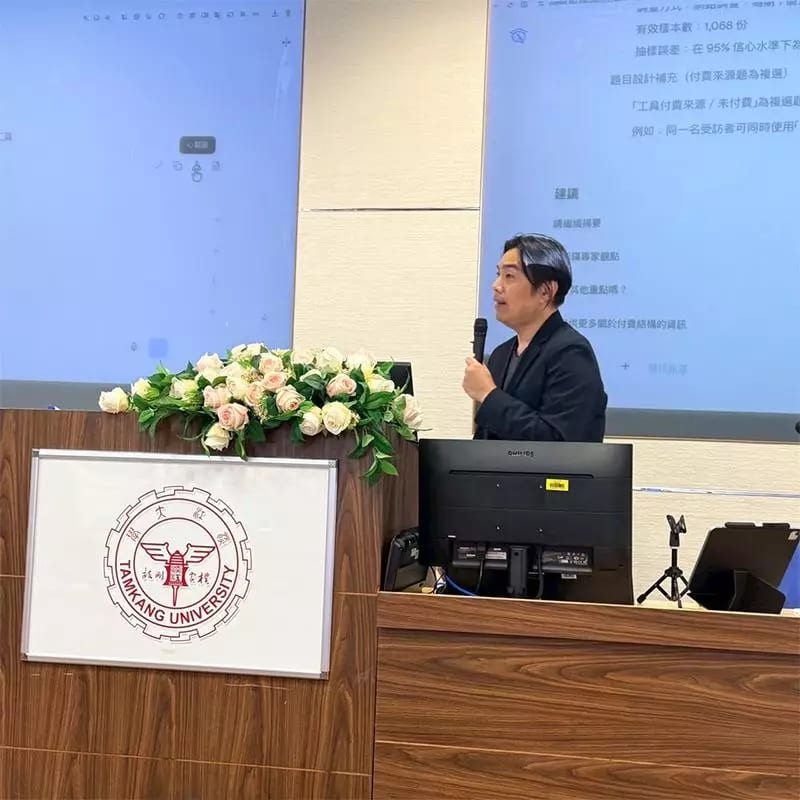
A campus AI presentation at Tamkang University
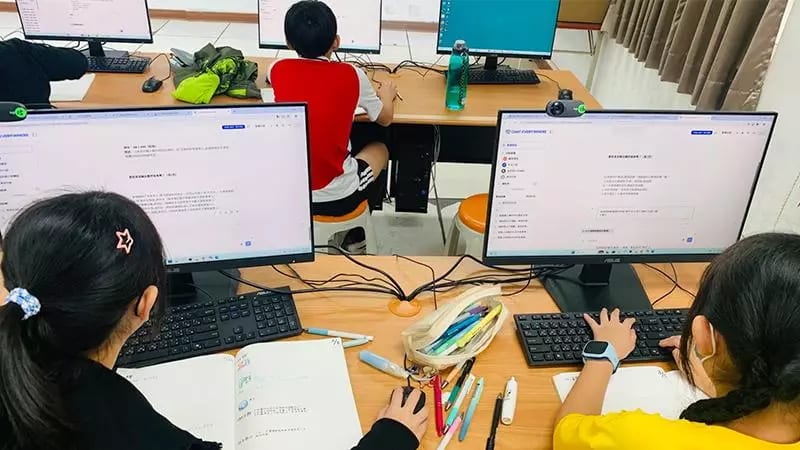
Students using the AI service in a computer classroom
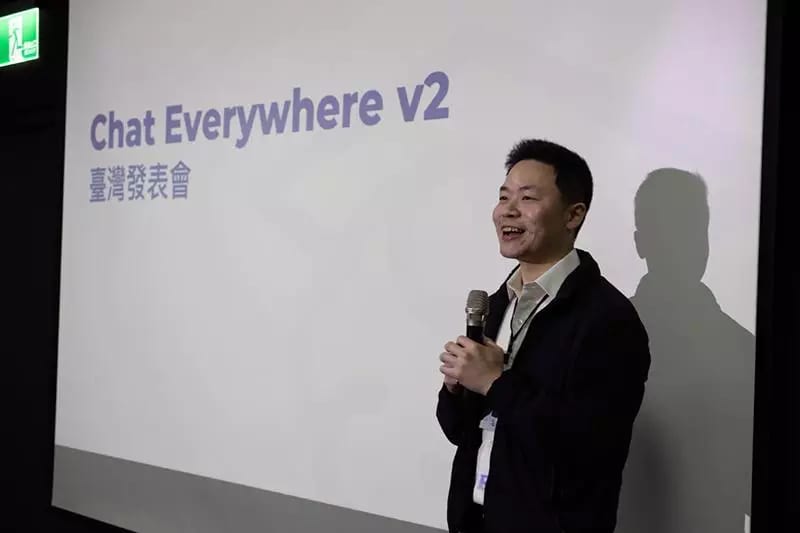
Chat Everywhere V2 launch event in Taiwan

Implementation and training sessions · Photo source: Economic Daily News sponsored feature, July 8, 2026

People using AI does not mean the institution has an AI service

When faculty, staff, and students each choose different AI tools, the institution faces scattered accounts, inconsistent policies, unclear data handling, and costs that are difficult to manage. A campus AI service creates one entry point and brings identities, roles, usage, budget, and education workflows under the school’s existing management model.

45%say rapid product change is a major AI procurement challenge
40%identify insufficient institutional AI governance
32%face cost or budget constraints
EDUCAUSE 2025 AI procurement survey

Three ways to provide campus AI

On-premises systems, standard education suites, and a campus edition can all deliver AI capabilities. The difference is who owns implementation, how much control the school has over its brand and environment, and whether teaching and administrative workflows can be adapted.

Implementation
Build in-houseThe school prepares compute, model services, and management systems.
Standard education AI suiteAdopt the cloud service supplied by the vendor.
Chat Everywhere campus editionConfigured around the school’s brand, accounts, and cloud environment.
Models
Build in-houseBased on the models and local compute selected by the school.
Standard education AI suiteUse the models included by the vendor.
Chat Everywhere campus editionConnect Azure OpenAI or other cloud models selected by the school.
Brand and entry point
Build in-houseFully customizable, with development owned by the school.
Standard education AI suiteUse the vendor’s brand and interface.
Chat Everywhere campus editionUse the school’s name, logo, domain, and branded home page.
Campus accounts
Build in-houseThe school builds and maintains account integrations.
Standard education AI suiteSSO or account sync depends on the plan.
Chat Everywhere campus editionConnect campus accounts and configure teacher, student, and administrator roles.
Cloud and data settings
Build in-housePlanned and operated by the school.
Standard education AI suiteDefined by the vendor’s architecture and contract.
Chat Everywhere campus editionConfigure Azure region, deployment resources, usage, and budget around school requirements.
Teaching and campus workflows
Build in-houseThe school develops or integrates each workflow.
Standard education AI suiteCapabilities depend on the vendor ecosystem and license.
Chat Everywhere campus editionClass quizzes, reinforcement practice, classroom chat, shared messages, and meeting summaries.
Operations
Build in-houseInfrastructure, models, and product operations are owned by the school.
Standard education AI suiteProduct and model operations are vendor-managed.
Chat Everywhere campus editionChat Everywhere maintains the product while responsibilities for accounts and cloud resources are agreed with the school.
Implementation and training
Build in-houseOrganized by the school.
Standard education AI suiteDepends on the vendor or implementation partner.
Chat Everywhere campus editionIncludes environment integration, rollout planning, and user training.
Best for
Build in-houseInstitutions with mature AI infrastructure and an operations team.
Standard education AI suiteInstitutions that want a standardized service as quickly as possible.
Chat Everywhere campus editionInstitutions that value their own brand, campus integration, and education workflows.

More than a new logo: campus workflows are built into the platform

Many white-label AI platforms focus on branding, knowledge bases, and chat. Chat Everywhere also includes ready-to-use classroom assessment, class interaction, and meeting workflows within the school’s branded entry point.

01 · Classroom assessment

Quizzes and reinforcement practice

Teachers can generate questions with AI, publish a quiz, and grade it automatically. The platform identifies concepts that still need work and creates the next round of focused practice.

  • AI question generation
  • Automatic grading
  • Class insights
  • Reinforcement practice
Class quizGraded
Quiz result

Concepts to review

  • Source verification
  • Prompt design
Start practice
02 · Class interaction

Classroom chat and shared messages

Teachers can open a class-wide or group chat for live discussion. Students can send AI-generated content to a shared-message space where teachers review it, respond, and extend the conversation.

  • Main classroom
  • Automatic groups
  • Shared messages
  • Chat history
Classroom chat18 online
Main classroom

Shared messages

  • Teacher: Share an AI answer that needs verification.
  • Student: I found an explanation with no source.
3 waiting for review
03 · Administrative work

Meeting assistant

Upload a meeting recording or video to generate a transcript and concise summary, then turn it into a mind map or meeting report. Teams can confirm decisions and action items without reviewing a long recording from the beginning.

  • Transcript
  • Summary
  • Mind map
  • Meeting report
Meeting assistantComplete
Academic affairs meeting.mp3

Summary and action items

  • Confirm the scope of next term’s AI teaching pilot.
  • Prepare the participating teacher and course list.
Generate meeting report

Faculty, staff, and students do not need to switch between separate tools and accounts, while the school controls which capabilities are available from one branded entry point.

Validate one use case first, then decide how to expand

A school does not need to begin with a campus-wide launch. Start with one faculty, continuing education, teacher preparation, or an administrative workflow. Validate governance and practical needs, then expand in stages.

01

Scope the requirements

Confirm users, data types, budget, model needs, and institutional policies.

02

Configure the environment

Set the school brand, custom domain, Azure OpenAI resources, and management rules.

03

Connect accounts

Integrate SSO, organizations, and roles, then configure the first users and capabilities.

04

Pilot and adjust

Train users, gather practical feedback, and adjust access, quotas, and features.

Four questions to answer before an assessment

Clarify data handling, existing accounts, and the first rollout scope before deciding whether the campus edition fits.

Why use a campus edition when ChatGPT Edu or Gemini for Education already provides enterprise protection?

Those are mature options when the school wants a standardized AI assistant. Chat Everywhere campus edition is for schools that also need their own branded entry point, selected cloud resources, campus roles, education workflows, and local integration support. The distinction is not only data protection, but how well the entire service fits the school’s environment.

Can cloud-hosted data still have enterprise-grade protection?

Yes. The campus edition can connect to the school’s Azure OpenAI resources on Azure’s enterprise cloud architecture. Microsoft states that prompts and outputs are not made available to other customers or OpenAI and are not used to train foundation models without permission. The exact processing region, deployment type, and storage behavior are confirmed with the school for each enabled feature.

Can we keep Microsoft 365 or our existing campus accounts?

We assess the existing identity architecture and integration options. Tamkang University uses O365 sign-in and university rules to identify teacher and student roles. Other institutions confirm SSO, account creation, and deactivation during the initial discovery phase.

Do we have to launch campus-wide on day one?

No. Start with one faculty, continuing education, teacher preparation, or an administrative knowledge workflow. Validate governance, use cases, and training before expanding.

Bring your current environment and one use case—we will map a practical first step

The first assessment reviews your account system, cloud environment, budget, and intended use case, then outlines a suitable service architecture, pilot scope, and next steps.

Request an implementation assessment