Chat Everywhere

CHAT EVERYWHERE TEACHER PORTAL

Set the quiz.
Grade it.
See the gaps.
One pass.

Chat Everywhere is an AI teaching platform built for schools. Upload this week’s material and it writes the paper, hands it to your students, marks it, and shows you which concept the class hasn’t got yet. Nine more teaching tools, from meeting notes to homework marking, are there when you log in.
See how it works
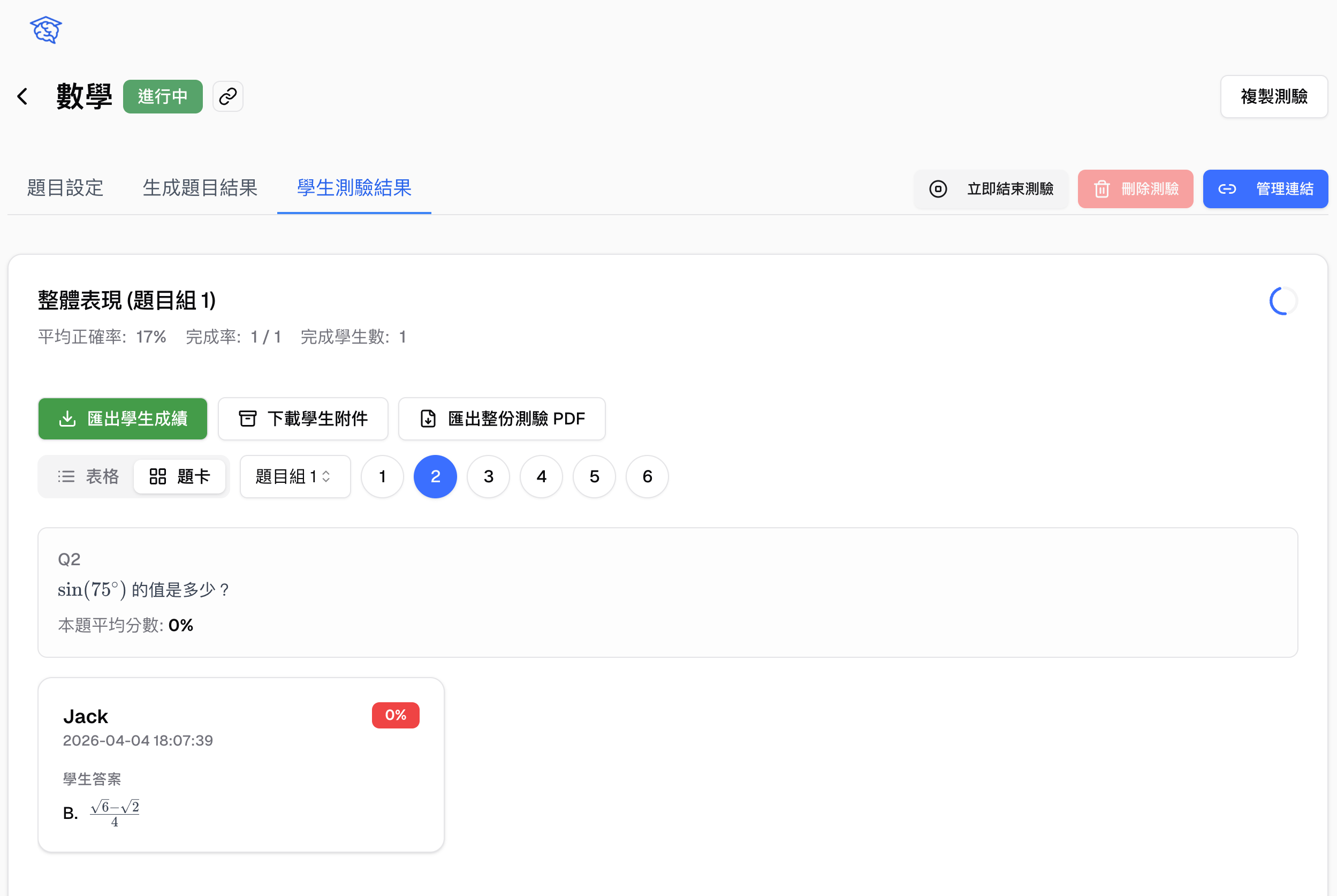
Teacher portal · student quiz results
Student quiz results in the teacher portal, showing average accuracy, question cards and individual answers
The problem

What stops teachers using AIusually isn’t the AI

It’s the round of work that comes back every term: write the paper, hand it out, collect it, mark it, tally it — and then work out who didn’t keep up.

Writing one paper takes longer than it should

Pull the key points out of the material, invent the questions, lay it out, print it, hand it out. The same round, every single exam period.

Marking it is only half the job

Once the scores are in, finding which question tripped most students up and which concept needs teaching again is usually another evening with the papers.

By the time you know, you’ve moved on

Results come together after the class has already started the next unit. The students who needed the help are the ones who quietly get carried past it.

Quizzes and marking

One lesson, start to finish,in one place

Upload this week’s material and get a quiz you can hand out immediately. It marks itself once students submit, and the concept the class missed is visible at a glance. No switching tools, no separate spreadsheet.

Class quiz · generated questionsSet 1
Ch. 3 Trigonometry.pdfMedium10 questions
Q1Single

What is the value of sin(75°)?

Q2Multiple

Which of these use the angle-sum formula?

Q3Open

Explain your working.

7 more · edit or regenerate any of them
Publish to classCreate a link
ClassLive
Class code486213Scan or enter the code to join
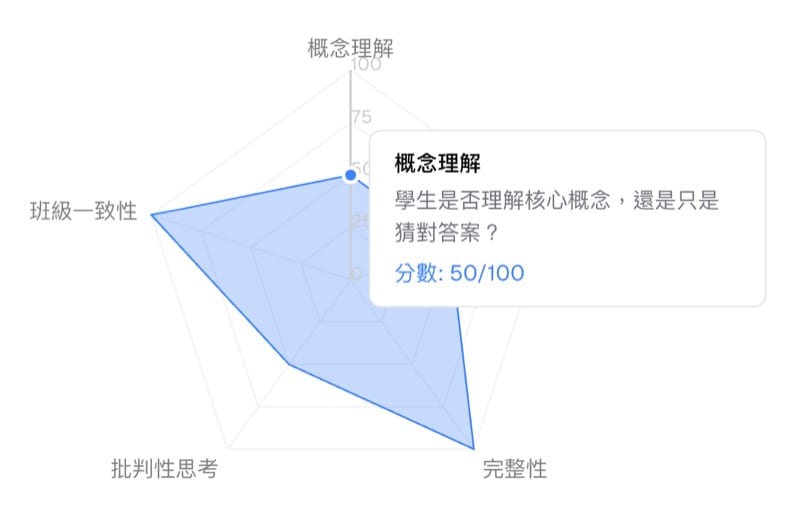
Class performanceradar chart
Class performance radar chart covering concept grasp, accuracy, completeness, critical thinking and class consistency
Automatic marking28 / 31 done
67%Class average
Q187%
Q241%
Q362%
Q478%

Q2 stands out: most students had the sign in the angle-sum formula the wrong way round.

Extra practice · challenge timelineAlex Chen

Each student gets questions on the concepts they haven’t got, then moves on a round.

  1. Original quiz62
    To work on: signs in the angle-sum formula
  2. Round 185
    To work on: substituting into the double-angle formula
  3. Round 2In progress
    Questions rewritten from the last round
Bonus marks+4
Mistake logStudent view

Where did I go wrong?

ConceptMisreadArithmeticCareless
Review statusGot it
Class chatAuto-grouped
Main room31
Group A8
Group B8
Group C7
Starting a classThe classroom
  • Open a class and it generates a one-time code and QR code; students scan it or type the code to join
  • Start straight away, or set the time and length in advance — and reopen a class after it has ended
  • One class can carry several quizzes and speaking assignments at once
Questions and markingClass quizzes
  • Upload a PDF, an image or a document and it writes the questions; tick which chapters to cover
  • Single choice, multiple choice and open response, with difficulty, question count, question sets and randomisation all adjustable
  • Publish inside the class or as its own link; add an access code, and collect student and seat numbers before anyone starts
  • It marks the work and writes the comments. Hide scores, adjust question by question, and handle regrade requests
  • Export the score table, student attachments, the full quiz as a PDF and the paper as Word
Class insightPerformance and catch-up
  • A class radar chart across concept grasp, accuracy, completeness, critical thinking and class consistency
  • The summary lists the hardest and easiest questions, the misconceptions that came up, and what to teach again
  • Extra practice: after submitting, students can keep going, on questions written for the concepts they personally haven’t got
  • Extra practice runs in rounds, each one finding the current weak spot; correct answers earn bonus marks
  • Choose the source — fresh questions on their weak concepts, or only the ones they didn’t fully get right, which suits questions with images
  • You see every student’s practice status, rounds completed and challenge score
  • A mistake log where students name what went wrong — concept, misreading, arithmetic, carelessness — and record their review
In-class interactionMessage board and breakout groups
  • Students send a whole AI reply, or highlight one part of it, to the message board for you to answer one by one
  • The class chat has a main room and breakout rooms, with students grouped automatically as they join
  • Prompt templates and tag management let the same material and rules be reused across classes
Teaching tools

Nine teaching tools,there when you log in

Each one matches something you already have to do. No prompt-writing to learn, no extra account to request — open them from the side menu.

The helper set

Not only meetings — talks and videos become text too

Drop in the recording of a department meeting, an evaluation panel or a parents’ evening and get a transcript, a summary, and a report laid out to your own template. For training videos and online courses, paste the link to import the transcript directly. If the meeting is happening now, run live transcription and get the record as you go.

Meeting notes helperTranscript
YouTube linkTranscribing live
Speaker A

Let’s settle the course map to this point for now.

Speaker B

Should we adjust the assessment method along with it?

Speaker A

I’ll bring a draft to next week’s meeting.

Meeting report

Agreed: draft the assessment changes for next term, reply within two weeks.

Teaching and assessment

English speaking, with feedback down to the sound

Set questions by CEFR, TOEFL or Lexile level, choose British or American pronunciation, and specify the situation. Assign it as homework and see submission rates and word-by-word pronunciation feedback together. Japanese, Korean and Chinese are supported too.

Speaking practiceCEFR B1

“Could you tell me how to get to the station?”

Pronunciation accuracy92
Fluency78
stationcouldneeds practice
SubmissionsPass mark 70
26/ 31 submitted

Students below the mark are flagged, and you can reassign straight away.

And these
  • Homework marking helperPhotograph the homework, upload it, and it scores the work and writes the comments.
  • Formula helperTurn a handwritten maths formula into LaTeX you can paste into Word.
  • Slide fixerEdit the text on NotebookLM slides directly, using OCR.
  • Quiz historyStudents look back at the quizzes they submitted and how they scored.
  • Message boardStudent questions and your feedback stay in one place.
  • Prompt templatesA shared library of teaching prompts, so nobody starts from a blank page.
  • Web portfolioInteractive pages students build can be published and shared.
In class

How students used AI,where you can see it

The worry about letting students use AI is not knowing what they did with it. So all of it stays inside the class you opened: what they asked can be sent to you, discussion can be grouped, and once you close the class it is no longer open.
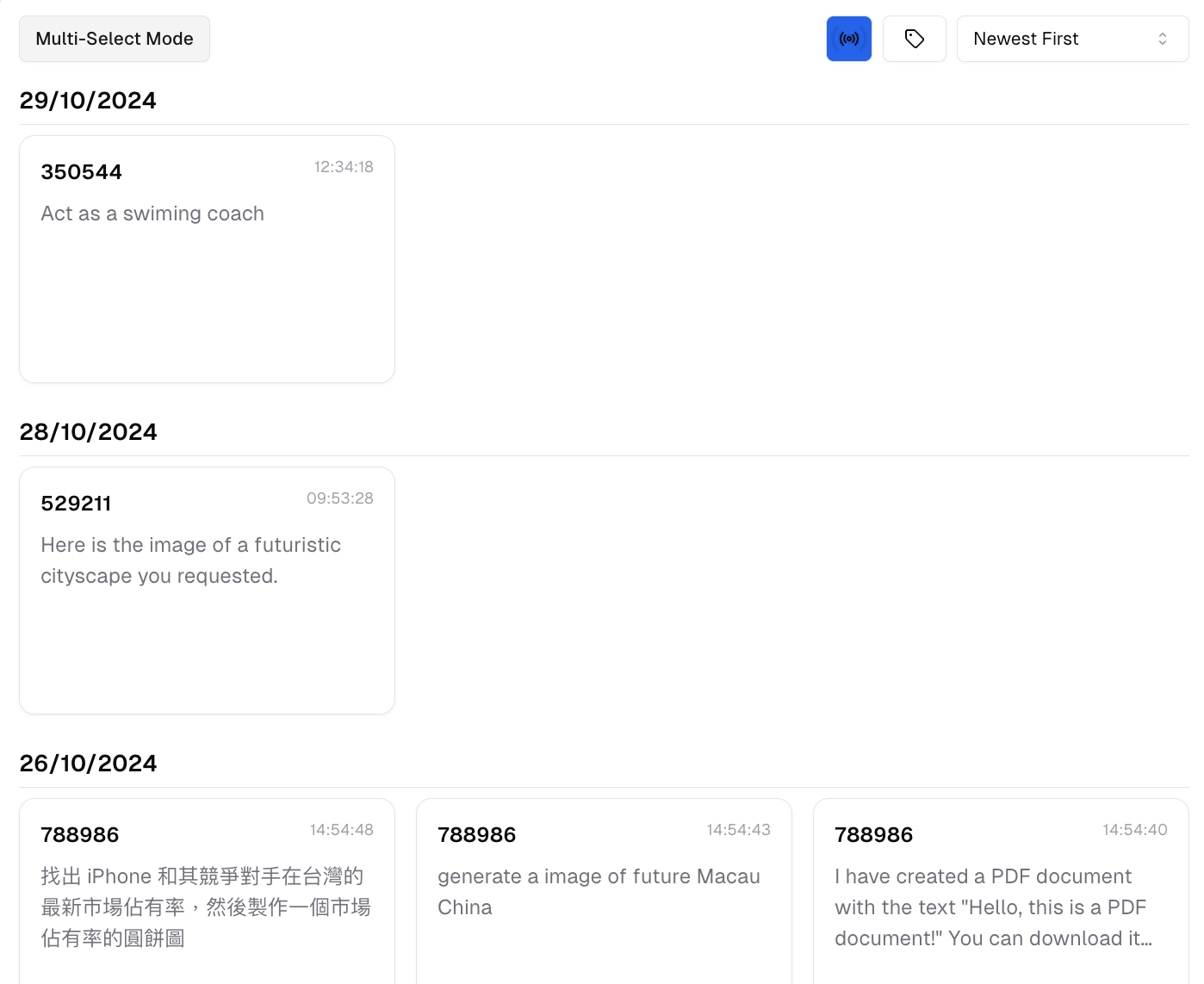
Message board · teacher viewClass in progress
Teacher view of the message board, showing student messages grouped by date
Class chatAuto-grouped
Main room31
Group A8
Group B8
Group C7

You see what they asked

Students can send a whole AI reply, or highlight just one part of it, to the message board for you to read and answer.

Discussion stays in the room

The class chat has a main room and breakout rooms. Students are grouped automatically as they join, and you can move them by hand.

Only visible from inside

Students join with a class code or QR code, and once you close the class none of it is open any more.

What they hand in is kept

Answers, submission times and your feedback all stay in the record, so they are there when you review at the end of term.

Where it fits

What teachers actually use it for

You don’t have to replace the way you work now. Most teachers start with one of these and widen out once it fits.

Pop quizzes and exam revision

Finish a unit, turn that week’s handout into a ten-question quiz, and know before the bell which concept needs teaching again.

English speaking homework

Assign speaking practice at a CEFR or TOEFL level, set a minimum score, then read submission rates and word-by-word pronunciation feedback in one pass.

Differentiated catch-up after exams

The radar chart and the common misconceptions tell you what the catch-up lesson should cover, while students each run their own extra practice, round by round, on what they personally missed.

Lesson prep and admin

Paste a YouTube link to turn a training video into a transcript, let a department meeting recording write its own minutes, and convert handwritten formulas to LaTeX for Word.

Start with one class

No waiting for your school to decide, and no procurement to run first. One teacher, one class and one quiz is enough to try the whole thing.

01

Request a teacher account

Email us and we will turn teacher access on. You don’t need to clear it with your school first, and there is no purchase process to wait for.

02

Upload one piece of material

Take next week’s handout or a past paper, let it produce the first quiz, then adjust it question by question until it reads the way you want.

03

Run it with one class

Send it out with a class code or its own link, let students actually answer it once, and check that the marking and the analysis hold up.

What teachers ask us most

From whether one teacher can start alone and whether students need accounts, through to marking quality and stopping cheating.

My school hasn’t adopted it. Can I start on my own?

Yes, and that is what it was designed for. Once teacher access is on you can open classes, write quizzes and set homework yourself. Students join with a link or a code, and your school doesn’t need to set anything up first.

Do students need to register an account?

For class quizzes they can answer straight from a link or a class code. They enter a name — you can also require student and seat numbers — and begin. Nobody has to sign up first.

I’m not confident with AI. Will I struggle with it?

Most of the tools are: upload a file, press generate, check the result. There are no prompts to learn. We will also walk you through the first round and get you to a quiz you can hand out.

Can I trust the questions and the marking?

The final call stays with you. Any question can be edited or regenerated on its own, scores and comments can be adjusted, and you can hide results until you have checked them and are ready to publish. If a student thinks a mark is wrong, they can request a regrade.

Will students use it to cheat?

A quiz can require an access code, be published only inside a class, and collect student and seat numbers before anyone starts. You can see every answer and the time it was submitted. Students’ AI conversations during class stay somewhere you can see them too.

Do I have to replace the system we already use?

No. Chat Everywhere fills in the question-writing, marking and class-analysis part and runs alongside what you have. Score tables, PDFs and Word papers all export, so it feeds back into your existing process.

Includes everything in the Worker Portal

See all Worker Portal features

Rolling it out school-wide?

Your school’s branding, your existing logins, and control over usage — see the campus edition

A school-wide rollout needs a different set of things: your own name, logo and domain, sign-in through the accounts staff already have, member and permission management on the school side, control over AI usage and budget, and setup and training on site. All of that is in the campus edition.

Talk to us about a rollout

Bring next week’s material and we will turn it into a quiz on the call

The demo runs about thirty minutes and uses your own handout: write the questions, publish, mark, look at how the class did. Carry on if it fits. Nothing to decide on the call.

Pricing

Choose the plan that fits your work

Start free, then upgrade when you need more capacity and advanced tools.

Free

For everyday questions and lighter use.

Free
  • Everyday AI chat
  • Free allowances for web search and file tools
  • 120 LINE assistant replies each month
Start free

Pro

For people who use Chat Everywhere throughout the week.

$12/ month

3-day free trial

  • GPT-5.6 responses
  • Higher chat and tool limits
  • Web search, file analysis, and productivity tools
  • 120 LINE assistant replies each month
Start a free trial

Ultra

Most capable

For complete AI workflows and demanding daily use.

$32/ month

3-day free trial

  • Everything in Pro
  • Realtime voice conversations
  • Image generation and advanced problem solving
  • 600 LINE replies and 50 images each month
  • Paid Meeting Summarizer features
Start a free trial

Need something more specific?

Meeting-first, teaching, and organization-wide workflows have their own options.

Features and usage allowances may change. The final plan details shown in the app apply at checkout. Tax is added when an invoice is required; contact JoyLearn on LINE at @joylearn.